Janitor AI proxy errors (502, 401, 1033) typically indicate a connection failure between the custom interface and the API provider (OpenAI or Kobold). To fix Error 502 (Bad Gateway), use a reliable reverse proxy URL ending in /v1. To fix Error 401 (Unauthorized), check that your API key is valid and has not run out of credits.
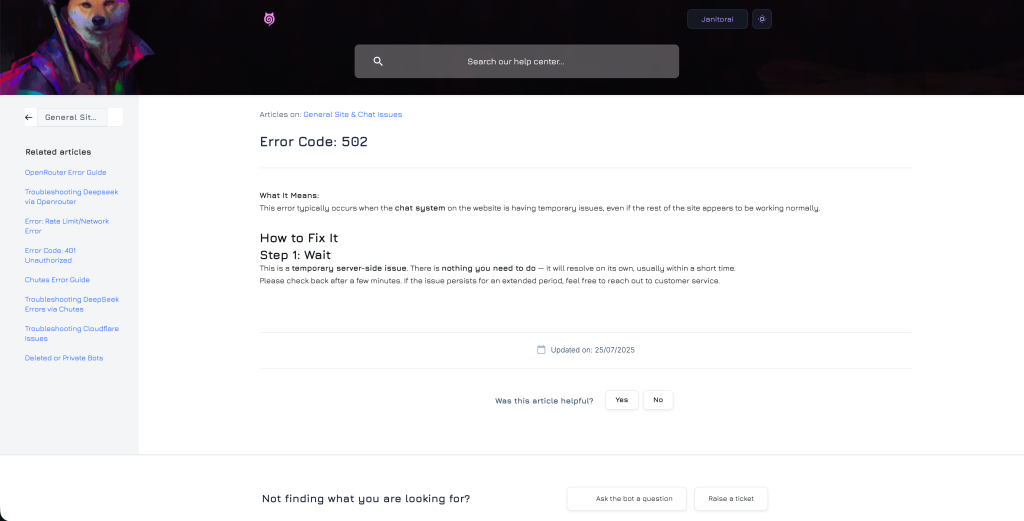
Common Janitor AI Error Codes Explained
- Error 502 (Bad Gateway): The most common error. It means the “bridge” (proxy) you are using to connect to OpenAI is down or blocked.
- Error 401 (Unauthorized): Access denied. Usually means a wrong password, expired API key, or empty prepaid balance.
- Error 1033: A Cloudflare tunnel error, often caused by the host (KoboldAI) going offline.
How to Fix These Errors
Fixing Error 502 (The Proxy Issue)
If you are using a custom endpoint (like pawan.krd or a reverse proxy):
- Check the URL: Ensure your API URL ends with
/v1.- Wrong:
https://api.openai.com - Right:
https://api.openai.com/v1
- Wrong:
- Switch Proxies: Public proxies go down often. Try hosting your own KoboldCPP locally if possible.
Fixing Error 401 (The Key Issue)
- Go to OpenAI or your proxy provider’s dashboard.
- Check Credits: Even if you have a key, if your balance is $0.00, you will get a 401 error.
- Regenerate Key: Delete the old key and create a new one. Paste it carefully into Janitor AI settings (no spaces!).
Fixing Error 1033 (The Tunnel Issue)
This happens mostly to mobile users connecting to a PC host.
- Restart the Host: Close the Colab tab or the terminal on your PC and restart the script.
- Check Cloudflare: Wait 10 minutes, as this is often a temporary network hiccup.